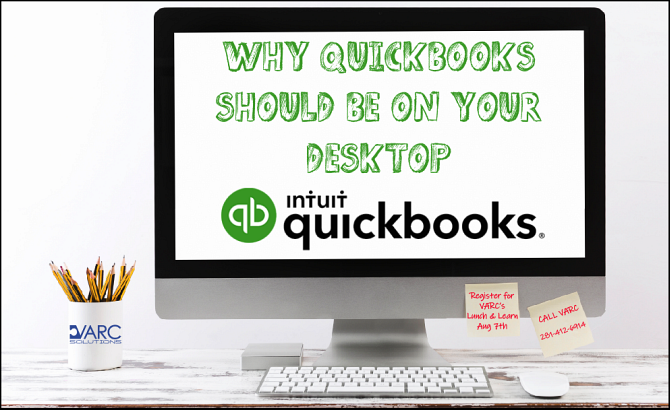
You know about QuickBooks but you’re still hesitating. Here’s why you should make the transition.
Even if you’re a very small business, you’re at a competitive disadvantage if you’re still doing your accounting manually. You might be doing okay using Microsoft Word for invoices and records and Excel for reports.
But many of your rivals manage their financial data digitally. Some of them likely use QuickBooks; it’s the market leader, and it’s on millions of desktops. Their products and/or services may not be superior to yours, but they have an edge because they’re running their businesses more efficiently. They’re presenting a more modern image to their market and building better customer relationships.
Now is the time to update your accounting system. Here’s what your competition has learned and what you, too, can experience.
How It Helps
There’s never a good time to make the transition to new software. Switching to QuickBooks is going to cut into your productive hours, and it will take some time to learn how it works before you can start using it daily. We can accelerate that process by helping you implement it and training you on its operations.
Once you get going, you’ll discover a whole range of benefits that you may not have even considered, like:
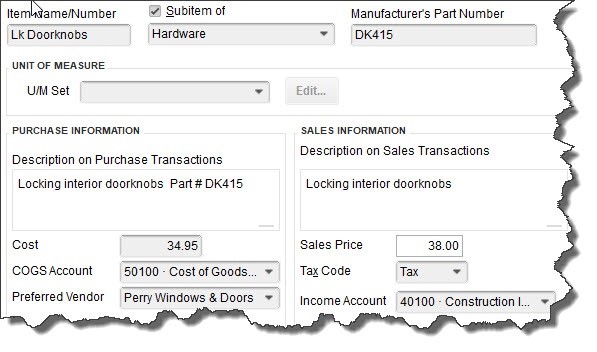 Once you’ve created an item record, for example, QuickBooks stores it for use in transactions.
Minimized errors. Once you’ve entered data in QuickBooks, whether it’s a customer’s address or a product/service price and description, the software stores it. It will appear in lists that you can access when, for example, you’re creating invoices. Not only does this improve accuracy, but it also makes duplicate data entry unnecessary.
Faster payments from customers. QuickBooks supports merchant accounts. Sign up for one, and you’ll be able to accept direct bank transfers and credit/debit cards from customers. You can automatically include a payment stub on invoices to speed up the remittance process.
Real-time account balances. Supply your login information for your online banks and other financial institutions, and QuickBooks can connect to them. It imports cleared transaction data regularly and helps you reconcile your accounts. You can even set it up to pay your bills electronically.
Instant data access. Got a customer on the phone who has a problem with an invoice or payment? QuickBooks’ search tools help you track down the smallest detail in seconds.
Time-tracking. If you (or your employees) provide services that are billed back to customers, you can create time records individually or on a timesheet. These blocks of hours and minutes can be marked billable, so they’ll appear the next time you start an invoice for any affected customers.
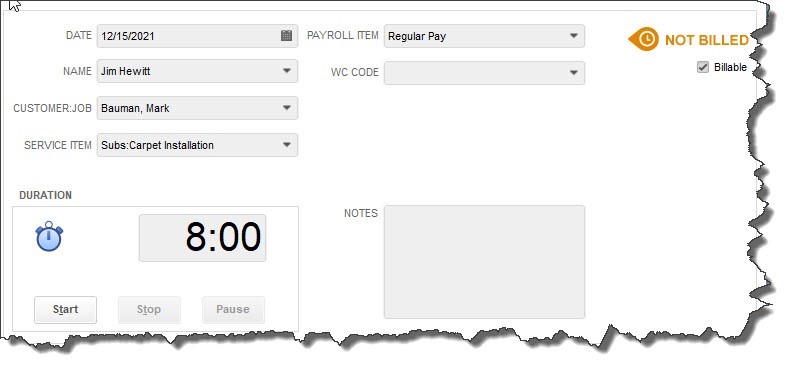 If your company sells services, you can create individual time records or comprehensive timesheets and mark sessions as billable.
Improved customer relationships. Your customers want answers when they have problems or questions, and they want them quickly and accurately. QuickBooks lets you store all needed details about customers in records, including contact information, payment particulars, and transaction history. Nothing helps encourage future sales like a company that knows its customers.
A more contemporary image. Those invoices and statements you create in Word—or worse, write by hand—contribute to your customers’ impressions of you and your commitment to using state-of-the-art technology to better serve their needs. When you email professional-looking, carefully-customized sales and purchase forms, you’re likely to go up a notch in their eyes.
Feature flexibility. You can use a little of QuickBooks and still have it be worth your time and technology dollars, or you can stretch its capabilities to the limits. If the latter happens, you may want to expand the software’s reach by integrating it with one of the hundreds of add-ons available in areas like inventory, invoicing and billing, and CRM.
Time and money savings. This is actually the most compelling reason to use QuickBooks. Yes, you have to pay upfront for the software, but you’ll soon see that your investment will reduce the hours you spend on accounting. That means you’ll have more time to do what only you can do: make your business flourish by planning for its future and taking the actions that will move you toward greater success.
Have you installed QuickBooks but you’re having trouble using its features fully? Do you need some guidance, particularly in the area of advanced reports? Contact us. We’ll assess where you are with the software and devise a plan to complete its implementation. You may be surprised to learn what you can do.